Enter the Masters' form in order to send all necessary port clearance information directly to the ship agent.
Enter the Master's Form
Access the NMap™ Link:
- Start by clicking on the NMap™ link that was sent to you via email from the Ship Agent.
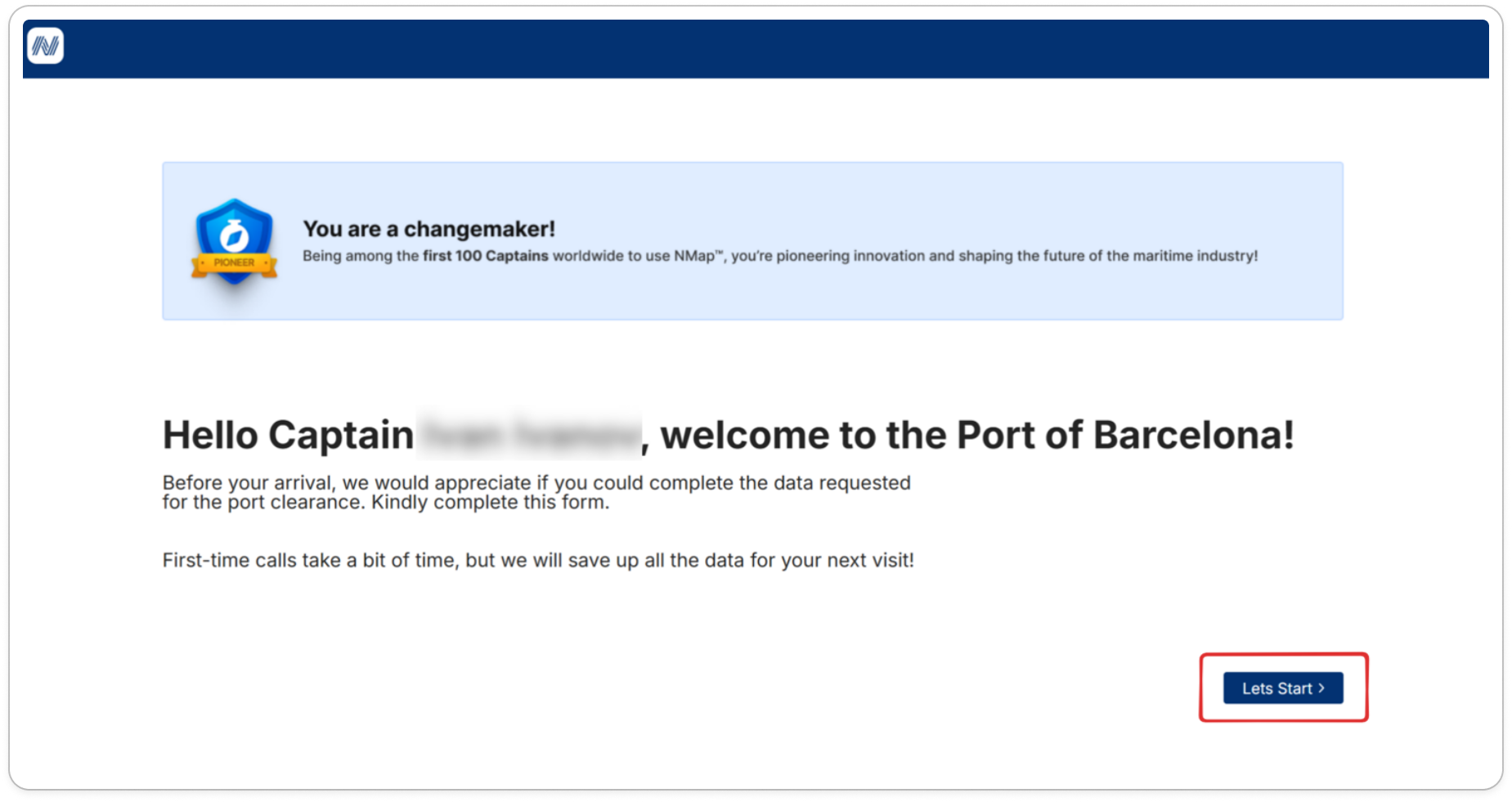
Redirect to Welcome Screen:
- The link will open in your browser, taking you to a welcome screen in NMap™, where you’ll see the captain's name and the port of arrival.
Click the "Let's Start" Button:
- On the welcome screen, click the "Let's Start" button to begin filling out the Master's Form.
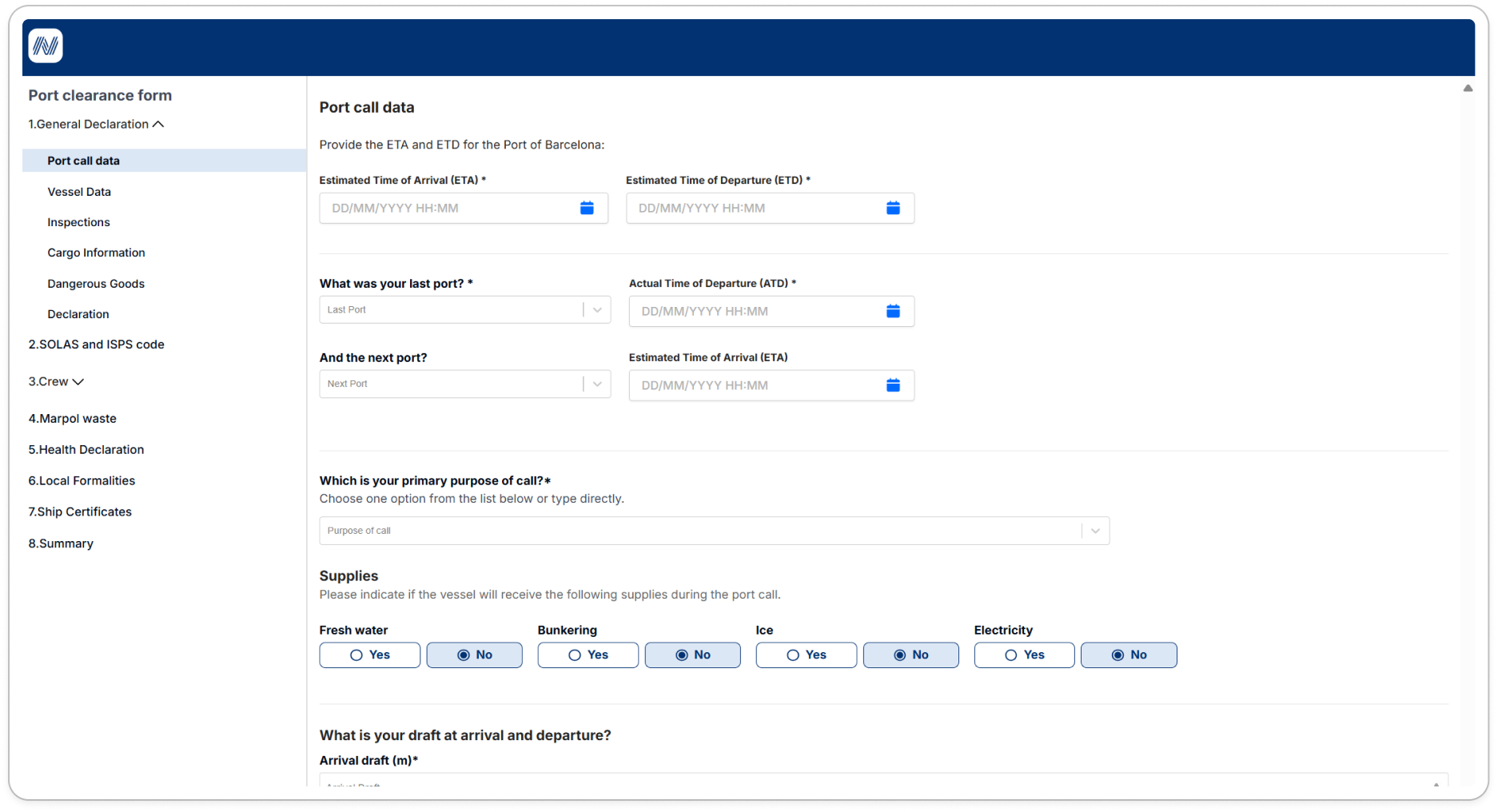
- Access the Master Form Sections:
- In the following screen, you will be able to fill the Master Form required fields .
- In the following screen, you will be able to fill the Master Form required fields .
Was this article helpful?
That’s Great!
Thank you for your feedback
Sorry! We couldn't be helpful
Thank you for your feedback
Feedback sent
We appreciate your effort and will try to fix the article