When using NMap™, you can check the status of any declaration (e.g. crew, passengers, waste, etc.).
At the top of each section, you will see a status bar with two sides:
Left side (Port Authority Status): Shows the response from the Port Authority (e.g. whether the declaration has been accepted or rejected).
Right side (Action Status): Shows the status of the action taken from NMap™ (e.g. whether you have submitted or saved the declaration).
Note: Sending a declaration from NMap™ does not mean it has been accepted. The Port Authority must confirm it on their side.
Declaration Status Flow
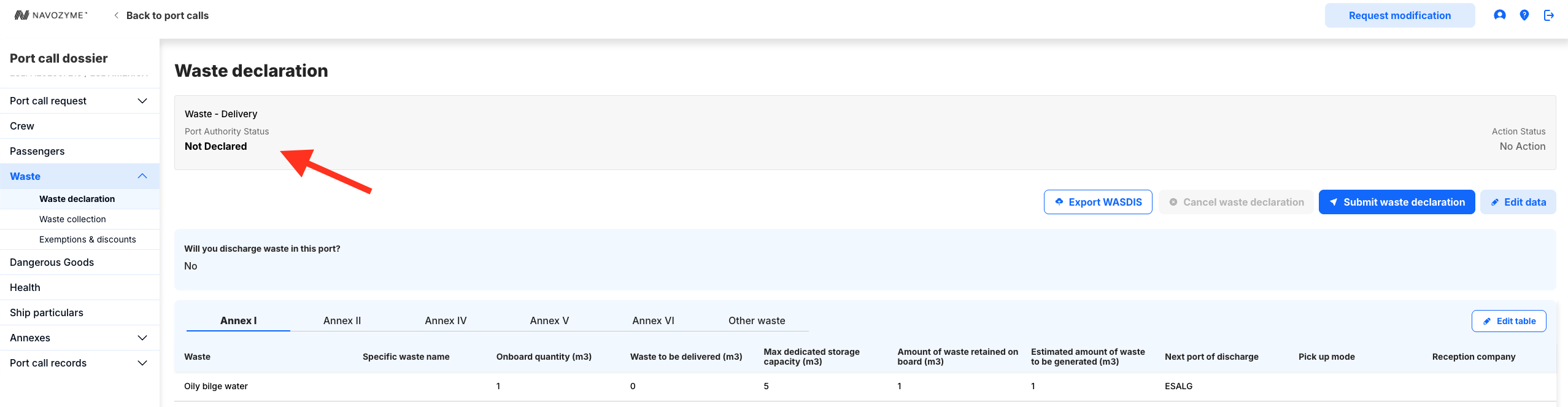
1. Not Declared (Initial Stage)
Port Authority Status (left): Not Declared
Action Status (right): No Action
The box appears grey.
This means no declaration has been sent yet.
2. After Submitting the Declaration
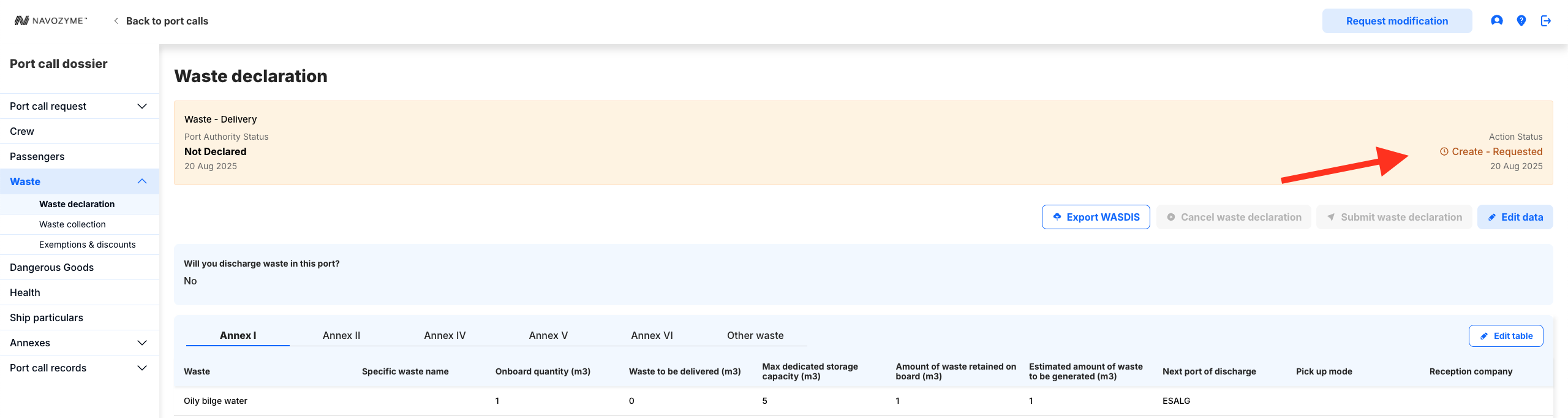
Port Authority Status (left): Still shows Not Declared (until the authority responds).
Action Status (right): Create-Requested
The box turns yellow.
This means the declaration has been submitted from NMap™, but the Port Authority has not yet confirmed.
3. Once Accepted by the Port Authority
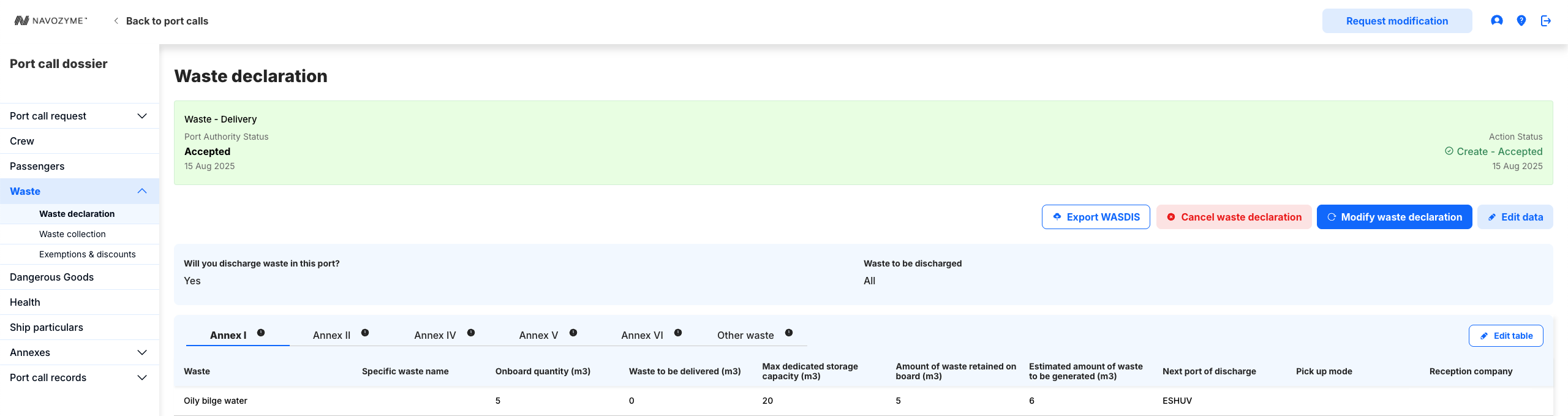
Port Authority Status (left): Accepted
Action Status (right): Create-Accepted
The box turns green.
This means the Port Authority has received and approved the declaration.
4. If a Declaration is Rejected
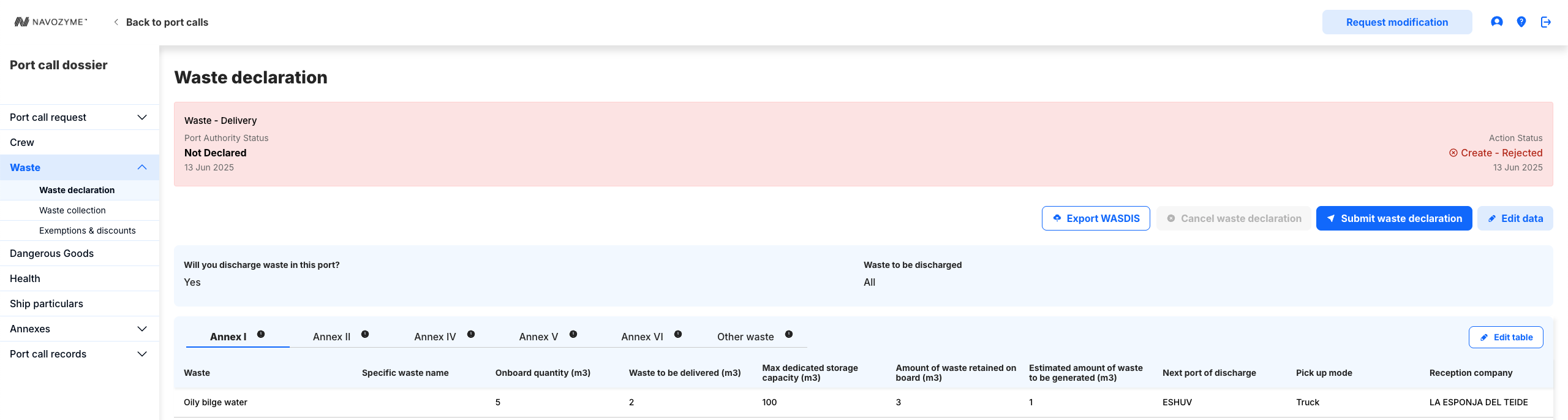
A rejection will be clearly shown in the status bar.
Depending on where the rejection happens, it will be displayed either:
On the Port Authority Status (left), if the Port Authority rejected the declaration.
On the Action Status (right), if the action from NMap™ was rejected.
The box will change colour (red) to indicate the rejection.
Additional Notes
Both the Port Authority Status and the Action Status show the date and time of the last update.
Always check both sides of the status bar to understand the full status of your declaration.
Quick Reference Table
| Box Colour | Port Authority Status (Left) | Action Status (Right) | Meaning |
|---|---|---|---|
| Grey | Not Declared | No Action | No declaration has been sent yet. |
| Yellow | Not Declared | Create-Requested | Declaration submitted, awaiting Port Authority response. |
| Green | Accepted | Create-Accepted | Declaration has been accepted by the Port Authority. |
| Red | Rejected | Rejected (or relevant status) | Declaration has been rejected (shown on either side depending on where the rejection happened). |
Was this article helpful?
That’s Great!
Thank you for your feedback
Sorry! We couldn't be helpful
Thank you for your feedback
Feedback sent
We appreciate your effort and will try to fix the article