Once a port stay has been requested and accepted, you may need to make modifications. Follow these steps to update port stays:
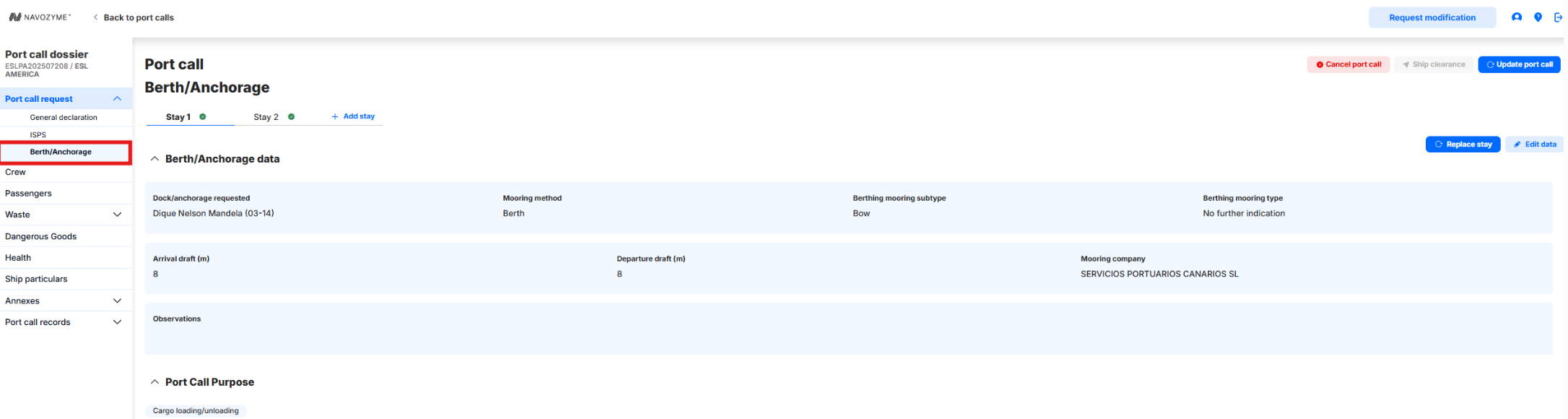
1. Navigate to "Berth/Anchorage"
- Access the Port Call Dossier > Port Call Request > Berth/Anchorage section
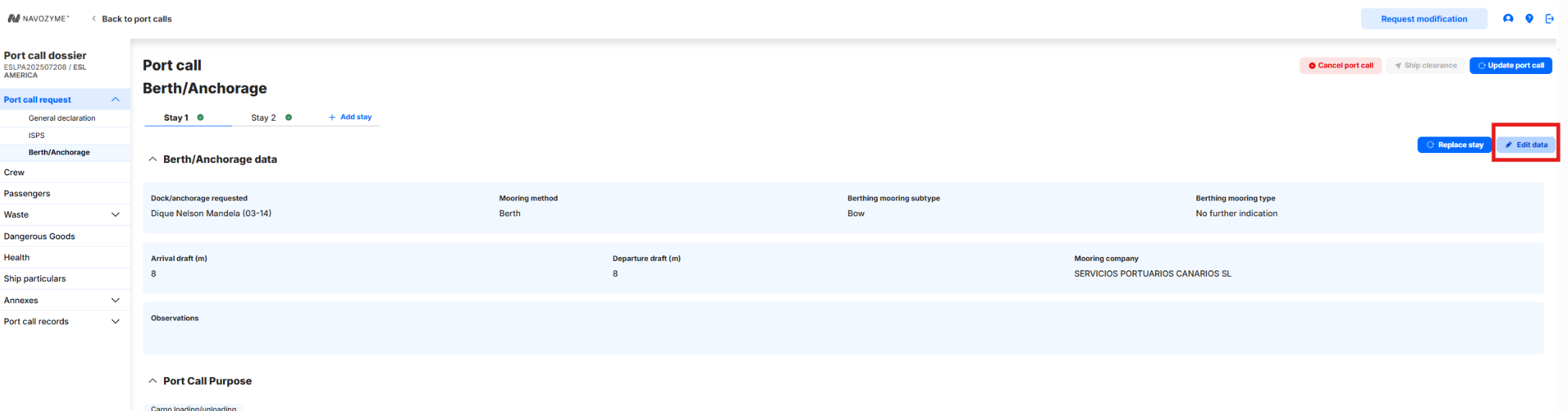
2. Edit data as needed:
- Click the "Edit data" button.
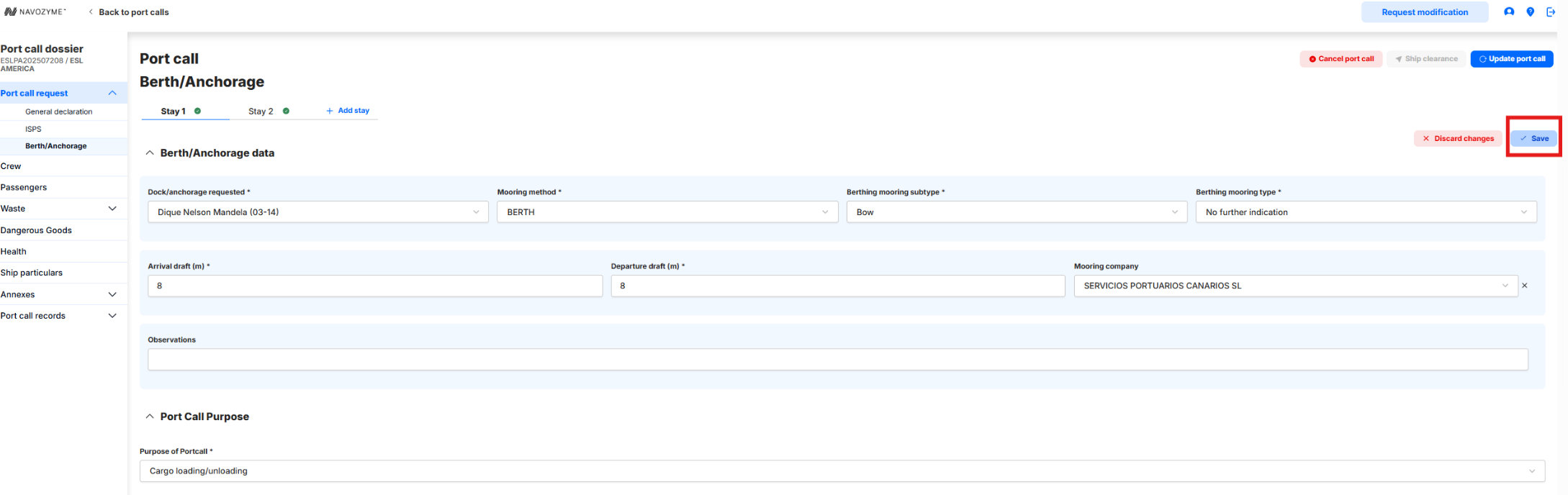
- Edit the fields needed and press the button "Save":
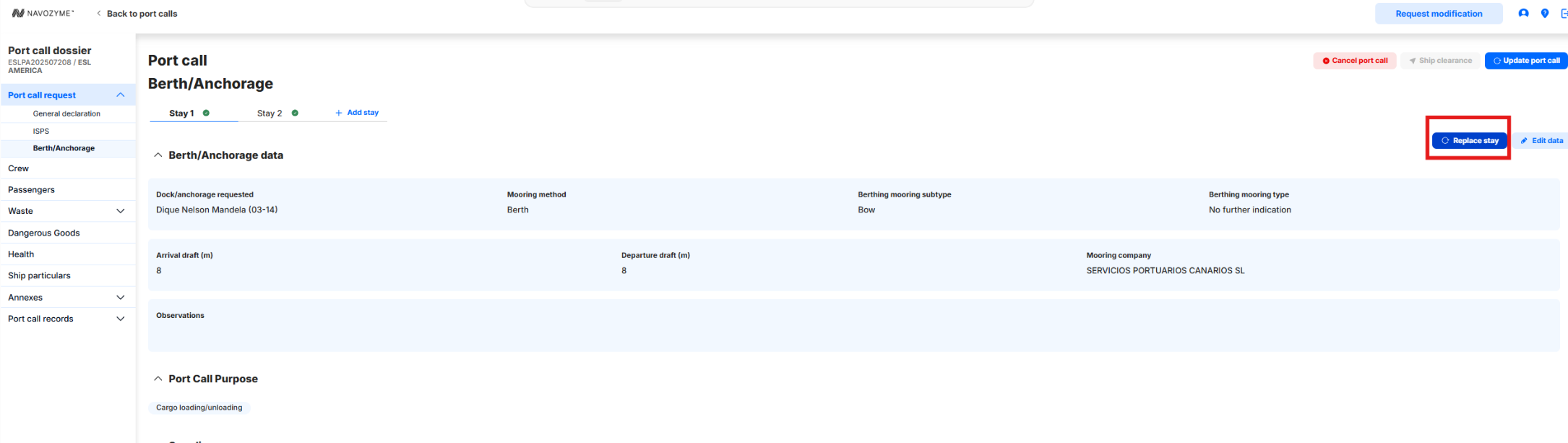
3. Send the modifications to the port authority:
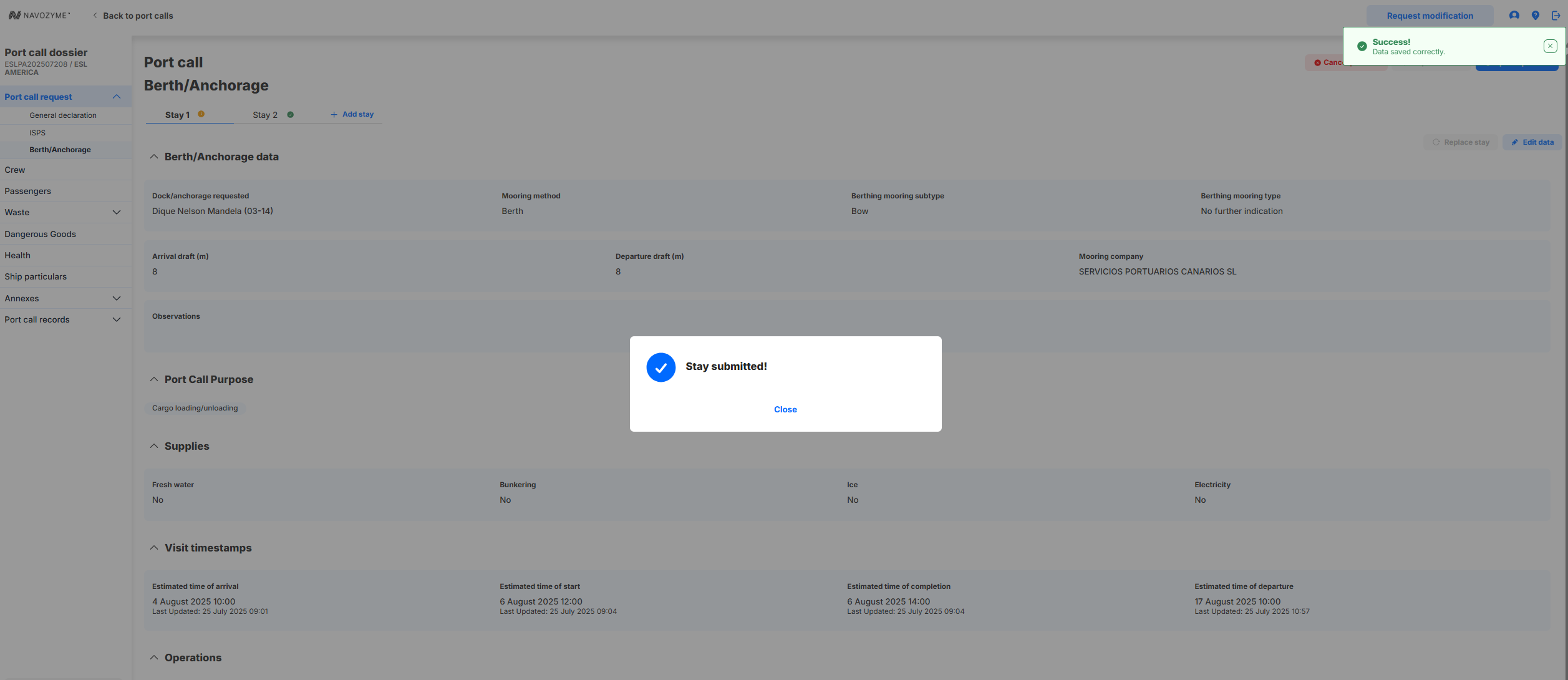
- Click on "Replace stay" in order to send the stay modifications to the port authority.
- A success message will appear:
4. Monitor Status:
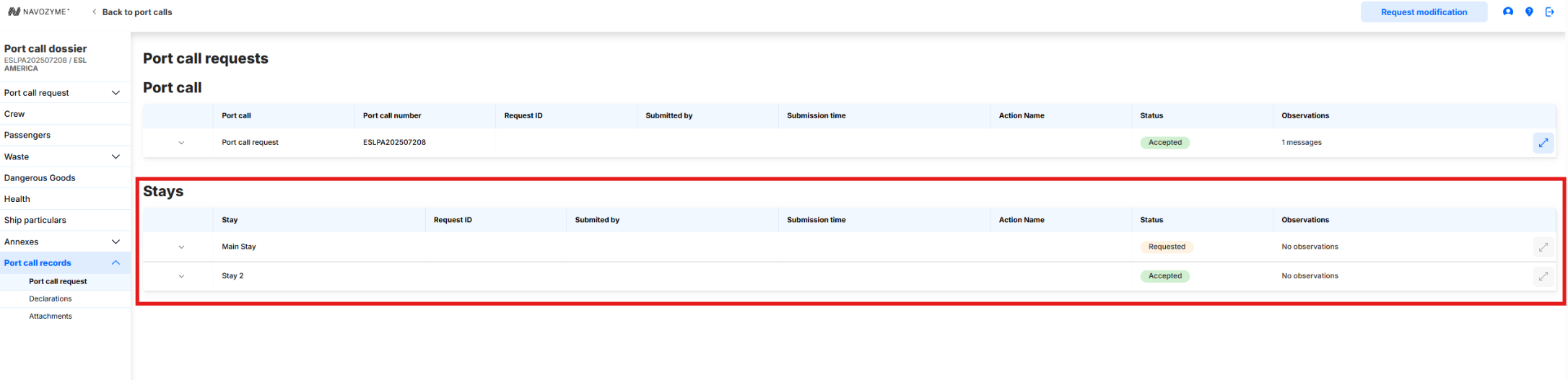
- After submission, track the status of your port stays in the Port Call Records section.
5. Address Any Follow-Up Actions:
- If the Port Authority provides feedback or requests additional information, follow their instructions to address any required updates or resubmissions.
Was this article helpful?
That’s Great!
Thank you for your feedback
Sorry! We couldn't be helpful
Thank you for your feedback
Feedback sent
We appreciate your effort and will try to fix the article